Cosmoteer "unstable" release candidate 0.15.1 RC1 is now available for testing! This is the 2nd major part of the "crew 2.0" revamp that started with 0.15.0 adding crew roles and priorities, and that now adds the ability to assign specific crew squads (bedrooms) to target/prioritize specific other parts. It also has a rewritten factory/reactor selection algorithm that should make crew much better at load balancing when deciding between multiple reactors and factories.
A few things I'm specifically looking for feedback on:
Right now, when crew are assigned to target/prioritize another part (or parts), they will both prioritize that part (doing that parts jobs before the jobs of any other parts) and will NOT do jobs of any other parts UNLESS there is literally no one else available to do those jobs. Please tell me how this works for you in practice. Is it intuitive? Does it make compartments sufficiently less necessary?
When crew are assigned to target/prioritize another part, that overrides the role priorities, such that even if they have a priority of 1, they will still do a 1-priority job for a targeted part before doing a 10-priority job for a non-targeted part. (If multiple parts are targeted, or a part has multiple jobs, they will still use the 1-10 priorities to determine which jobs to do first. And disabling a job completely in a role will still prevent them from ever doing that job.) Is this intuitive to you?
As mentioned, the factory/reactor selection algorithm has been revamped to better load-balance between multiple reactors. How well does this work for you in practice? Do you still want to be able to tell a part which reactor/factory it should get power/ammo from? (That feature is not implemented yet and would make the U.I. considerably more complicated, so I only want to add it if really necessary.)
Thanks for your feedback and testing!
Download Cosmoteer 0.15.1_rc2
Changes since 0.15.0:
- Crew Customization & A.I.
- Individual crew squads can now be told to prioritize a specific part's jobs by selecting the squad and then right-clicking on the part to prioritize. (Hold Shift to prioritize multiple parts.) This will override the role's priority settings and cause the squad to do the assigned part's jobs before doing jobs for any other parts. Squads that have been assigned to a part (or parts) will also NOT do the jobs of any other parts, unless there are no other crew available to do those jobs. Squad assignments are saved with ship designs.
- When choosing which reactor or factory from which to pick up power or ammo, crew will now take into consideration the distance to that reactor or factory and whether other crew are already planning to pick up from that reactor or factory, thus resulting in much less waiting and much more balanced utilization of all available reactors and factories.
- Crew will now again wait at a factory that is out of power as long as someone is on their way to power it.
- When crew that are operating a part are swapped with other crew of higher priority, the crew currently operating will now remain at their station until the new crew has arrived, unless the old crew's operating priority has been disabled completely or they have a higher-priority job to do.
- When crew have dropped off ammo or power, they will now optimistically start returning to the reactor/factory in anticipating of being assigned the job of getting more. This should improve efficiency of large ships that have a lot of jobs and thus longer wait times before crew are assigned jobs.
- Crew will no longer change jobs while they are carrying ammo or power, which would often cause them to drop the ammo or power they were carrying.
- User Interface
- When adding parts or decals to a ship, a red X will be displayed over any existing parts or decals that will be automatically removed.
- Added right-click menu options within the Role Editor for setting all priorities, all priorities in the same tab, all priorities of the same type, or all priorities of the same type in the same tab.
- Pressing Ctrl+L on the title screen now loads the most-recently-saved game.
- Pressing Ctrl+Shift+L on the title screen now opens the load game dialog.
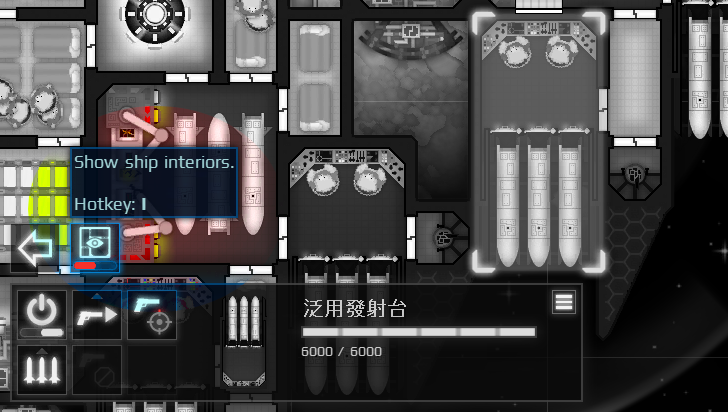
- The ship interior toggle button is no longer displayed in build, paint, or crew modes.
- The "Add Role" button is now called "New Role".
- The default name for newly-added roles is now "Unnamed Role".
- Tutorials:
- Updated crew management tutorials with info about prioritizing parts.
- The minimap tutorial now mentions the existence of color-blind settings.
- Bug Fixes:
- Crew operating an EMP or Nuke launcher would often leave immediately after firing the EMP or Nuke.